Goals, loops, scheduled work
Objectives with token caps, measured loops in independent lanes, and prompts that fire later. See below.

A coding harness and model router. One curated, eval'd catalogue of open models, served on Shisa's own platform, with local content scanning before anything reaches a model.
A terminal agent built on the Pi coding agent, wired directly into Shisa's serving platform.
Jouzu is where three parts of the Shisa stack meet in one product: the Shisa API serves every model in its catalogue, Shisa realtime transcription powers voice dictation, and TextGuard — Shisa's own Go scanner — checks skills and fetched web content locally before the model ever sees them.
It is a command-line tool first, but ships with a desktop launcher as well. It is explicitly alpha: the README states "v0.1.x is alpha software. Expect frequent updates and changes."
npm install -g jouzu
jz doctor        # non-mutating diagnostics
jz               # start a session in the current directory
jz is an alias for jouzu. It can be run without installing via npx --yes jouzu, and there is a signed Windows x64 installer, the Jouzu Launcher, that bundles every requirement — including its own Node runtime, so the system Node version does not matter.
Requirements: Node.js 22.19+, Git, and Bash (Git Bash on Windows). First launch asks whether to enable the Japanese profile, then offers to connect a Shisa account. New Shisa accounts receive USD 10 in credits.
One catalogue, one API, every model served by Shisa.
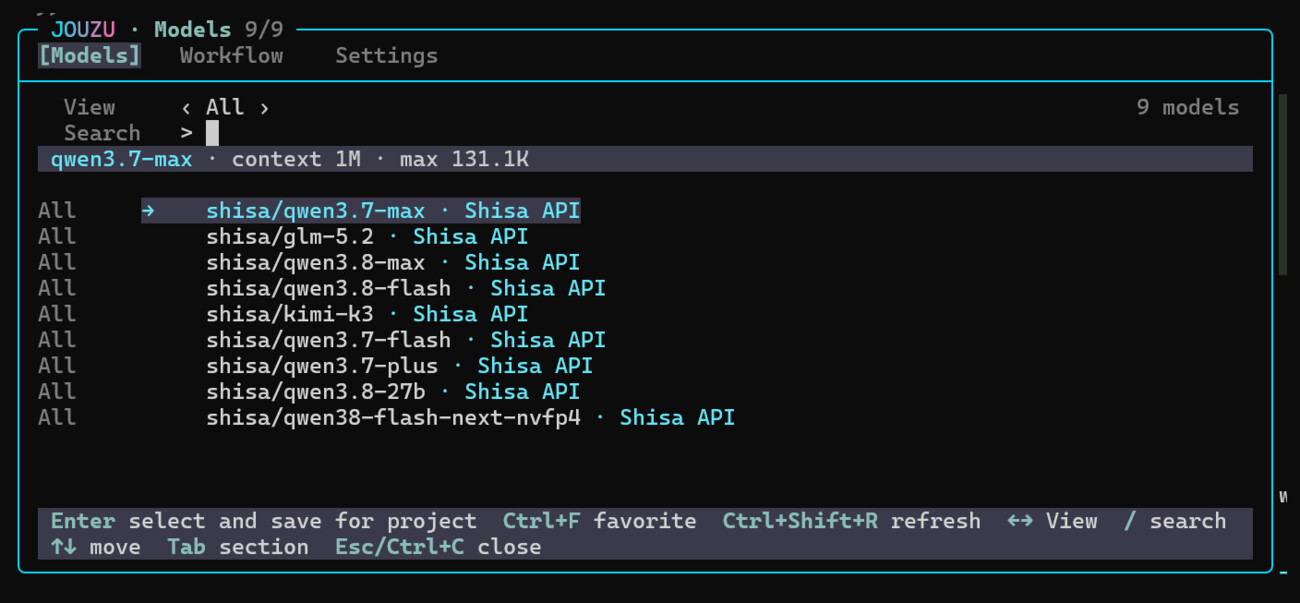
The model picker (/model or Ctrl+L) searches providers and models, keeps favourites, and saves per-project defaults. Shisa's catalogue is built in and activates on sign-in. Catalogues are pluggable and publishable — see /catalogs.
| Model | Notes |
|---|---|
shisa/qwen3.7-max | context 1M · max output 131.1K · project default in the captured session |
shisa/qwen3.8-max | |
shisa/qwen3.8-flash | |
shisa/qwen3.8-27b | |
shisa/qwen38-flash-next-nvfp4 | NVFP4 quantised |
shisa/qwen3.7-flash | |
shisa/qwen3.7-plus | |
shisa/glm-5.2 | |
shisa/kimi-k3 |
shisa-ai/shisa-v2.1-llama3.3-70b and shisa-ai/shisa-v2.1-unphi4-14b are both in the catalogue — but neither declares tool_calling, and both cap at 32K context, so they cannot drive a coding session and do not belong in a tree of models Jouzu routes code through. Correct the slide before circulating it.
The picker lists these nine because they are the ones that declare tool_calling. The account catalogue actually holds fourteen offerings: the five others are shisa-ai/ domain models — two Shisa V2.1 variants, two Chotto models and shisa-de-1 — which declare no capabilities and report maxOutputTokens: 0. They are served, but they cannot be an agent role.
Jouzu is not open-models-only. docs/astra.md documents model-specific handling for GPT-6 Astra against api.openai.com, including thinking levels and prompt-cache options. The router adapts to proprietary frontier models too.
Rather more than a chat loop in a terminal.
Objectives with token caps, measured loops in independent lanes, and prompts that fire later. See below.
Run shell jobs while you keep working; completions arrive as batched summaries.
Each agent gets its own model, tools, instructions and workspace.
Local scanning of skills and web results before they reach the model.
Speak into the prompt using Shisa realtime transcription. /voice or Ctrl+\.
Correct layout for Japanese, Chinese, Korean and emoji widths, plus an optional Japanese profile.
VCC compacts the transcript without a model call; vcc_recall searches what was removed.
Fetch pages directly or through a browser that installs on first use.
Pluggable catalogue sources. Shisa's is built in; others can be added and published.
Coordinates jobs, goals, loops and tasks — and explains why automatic work stopped.
Jouzu keeps a punchlist, runs jobs beside it, and decides for itself when a turn needs a reply.
Given multi-step work, Jouzu creates a numbered task list and works it, marking each item complete as it goes. Background jobs run alongside, and the Session Line carries both — so the state of the work is visible without asking for it.
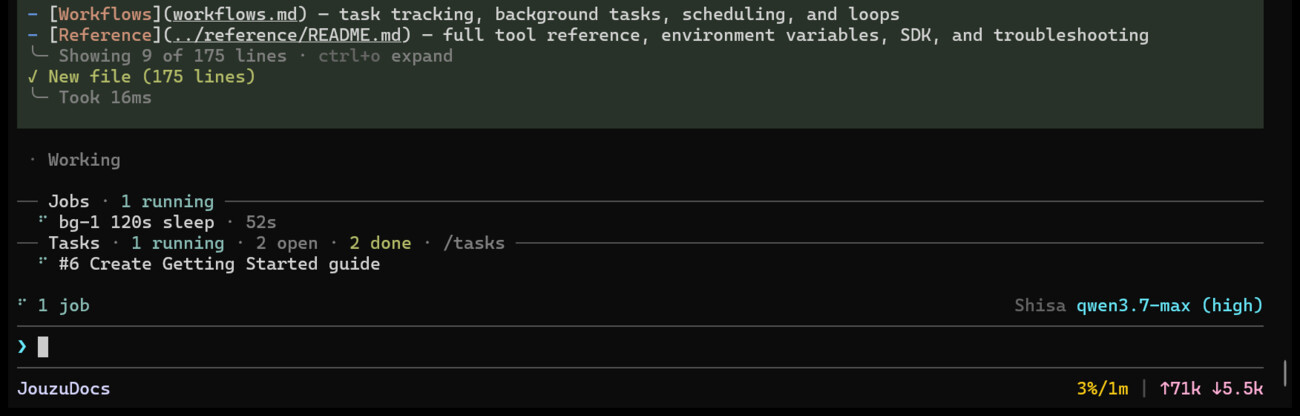
Jobs · 1 running with elapsed time, Tasks · 1 running · 2 open · 2 done, and the item currently in hand. The file write above it is the task being executed.The list is addressable at any time with /tasks, which offers View all tasks, Create task, an auto-mode toggle (cascade by default), and bulk clear.

[completed].Jobs report back as notifications rather than interrupting. Flow control then decides whether the turn needs a response at all — here the job landed after the work was already finished, so the agent closed the turn with agent_no_reply instead of padding out a reply.
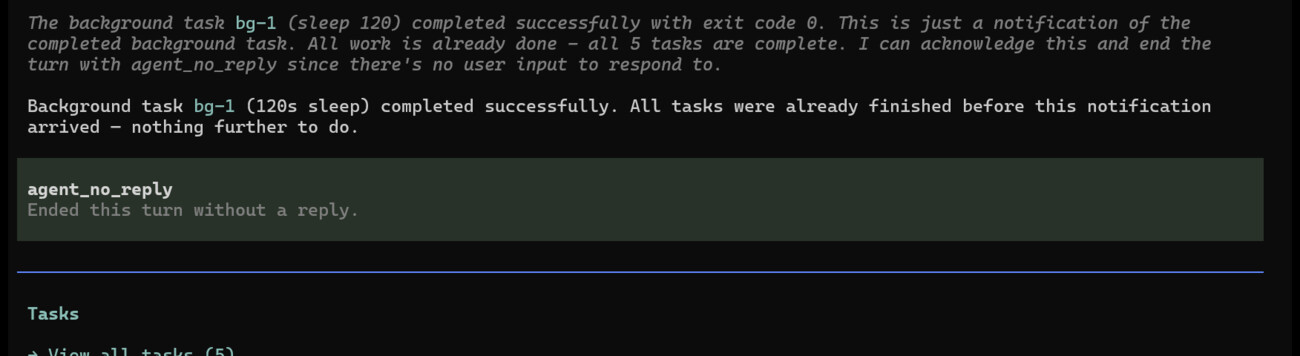
bg-1 completing with exit code 0, delivered as "notification only — no reply owed".Four containers for work, widening in scope — and one layer underneath that keeps them honest.
Each container holds state the conversation itself cannot be trusted to keep, and each has its own way of stopping. Tasks are the shared punchlist, covered above. Above them sit goals (one objective, worked until done), loops (repeated, measured iteration) and scheduled prompts (work that fires later). Flow control sits under all four — it is what makes autonomous work safe to leave running.
the shared punchlist
So nothing is forgotten — and so any agent can take the next item off the list. It also keeps context small: the list carries the mission, so no single turn has to.
one objective, until done
The objective is held outside the conversation, so the work cannot drift — however long the sprint runs. A token cap pauses it rather than spending past the budget.
measured iteration, in a lane
One agent works the same problem again and again and measurably gets better at it — every pass scored against a metric and a verify command, then kept or reverted.
work that fires later
Fires any of the other three later, or on a cadence — a loop overnight, a goal on Monday, a check after the deploy. Each stored job keeps its own run count and last outcome.
Every automatic hand-off passes through it — a job finishing, a loop iterating, a schedule firing, a child agent reporting back. It is the layer underneath all four.
/flowA goal is a persistent objective. Lane, mode and scope are derived for you; you can cap what it is allowed to spend.
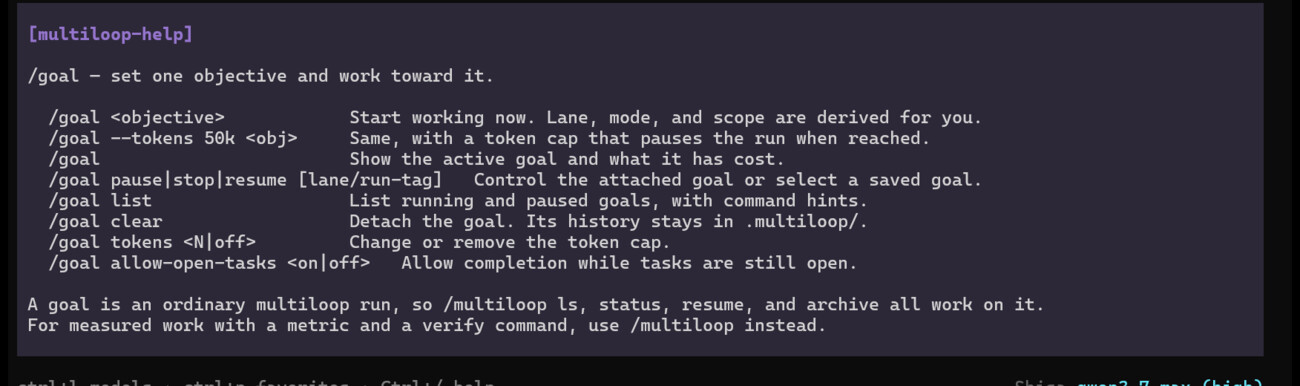
/goal surface, read from a live session.| Command | Effect |
|---|---|
/goal <objective> | Start working now. Lane, mode and scope are derived for you. |
/goal --tokens 50k <obj> | Same, with a token cap that pauses the run when reached. |
/goal | Show the active goal and what it has cost. |
/goal pause|stop|resume | Control the attached goal, or select a saved one by lane/run-tag. |
/goal list | Running and paused goals, with command hints. |
/goal clear | Detach the goal. Its history stays in .multiloop/. |
/goal tokens <N|off> | Change or remove the token cap. |
/goal allow-open-tasks <on|off> | Allow completion while tasks are still open. |
/multiloop ls, status, resume and archive all operate on it. The difference is intent: use /goal for an objective, /multiloop when the work has a metric and a verify command.
Loops run autonomous, repeated work. The bundled pi-multiloop skill describes four modes — and this is where the word punchlist actually lives:
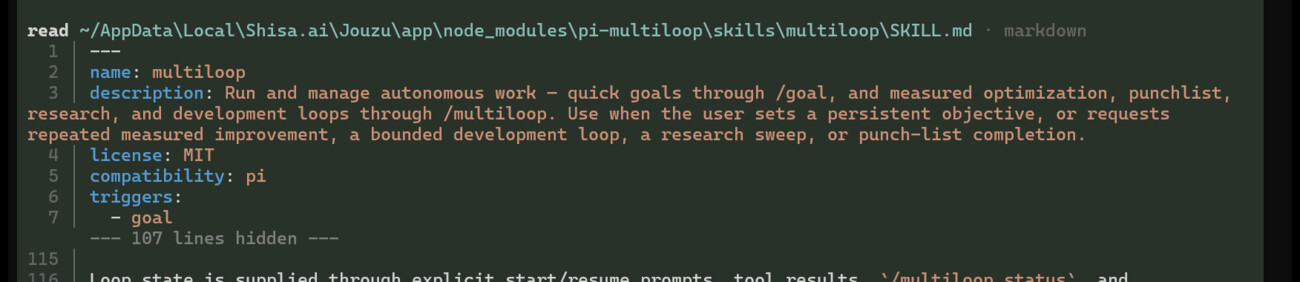
/goal, and measured optimization, punchlist, research, and development loops through /multiloop."/multiloop status, and compaction-aware resume prompts — so a loop survives the transcript being compacted mid-run.<lane>/run-<timestamp> and keep a tally of iterations, keeps, reverts, logs, crashes and blocks.
docs/run-20261006-072417 — dev mode, 3 iterations, 3 logs, zero reverts, zero crashes, zero blocks.The schedule_prompt tool registers one-time and recurring prompts. Each stored job carries an id, creation time, an optional session binding, an enabled flag, a run count, and the status and timestamp of its last run — running, success or error. Schedules are a flow wait source: what flow control waits on is the schedule's first trigger, not the completion of the prompt it fires.
Flow control is the layer underneath all of the above. It batches background results after the current reply, lets tasks wait on input or on another job, and — importantly — holds input it cannot prove was delivered rather than silently replaying it.

/flow showing held input: "Sent, but whether the model received it is not known." Nothing is re-sent automatically.| Command | Effect |
|---|---|
/flow | Why automatic work stopped, and how to resume it |
/flow pause · resume | Pause or allow automatic replies. Background jobs keep running either way. |
/flow off · on · reset | Disable, enable, or reset queued and held delivery. Sessions and running jobs survive. |
/flow clear | Release a stuck turn. Run while idle. |
/flow resolve <attempt> retry|discard | Settle a model request with an unknown outcome. retry may repeat a request the model already answered. |
/flow runtime | Startup package paths and hashes |
Interrupting a reply also pauses automatic work until your next message. JOUZU_FLOW_CONTROL=0 disables it for a process.
Roles are declarative, and concurrency is governed.
Definitions live in agents.json (schemaVersion: 1) alongside maxConcurrent and a roles array. Each role carries:
| Field | Meaning |
|---|---|
id, description | Unique lowercase ID and display description. |
model, thinking | Exact model selector and thinking setting — per role, not per session. |
instructions | Inline instructions, up to 32,000 characters. |
placement | main, child, or both. |
judging | Fresh review context with read-only built-in tools. Requires child. |
tools | read grep find ls write edit bash powershell |
timeoutSeconds | Default 7,200 (2 hours). Runtime accepts 10–2,147,483 seconds, about 24 days. |
maxTurns | Default 500. |
Concurrency. maxConcurrent defaults to 2 and accepts 1–8; the queue holds up to 32 waiting tasks. Roles with write, edit or shell tools run one at a time per workspace, and separate Jouzu parent sessions serialise child writers through a workspace lock — so two agents cannot clobber each other's edits. Main-session edits and external programs do not participate in that lock.
read, grep, find and ls; it is not a sandbox.
Content is scanned locally before a model sees it.
TextGuard scans skills and web content on the machine by default. Flagged web results reach the model labelled as untrusted data; flagged skills are withheld entirely until approved. Review findings with /textguard; change scanning for a session with /textguard on|strict|off, or start with --jouzu-textguard-strict / --jouzu-textguard-off.
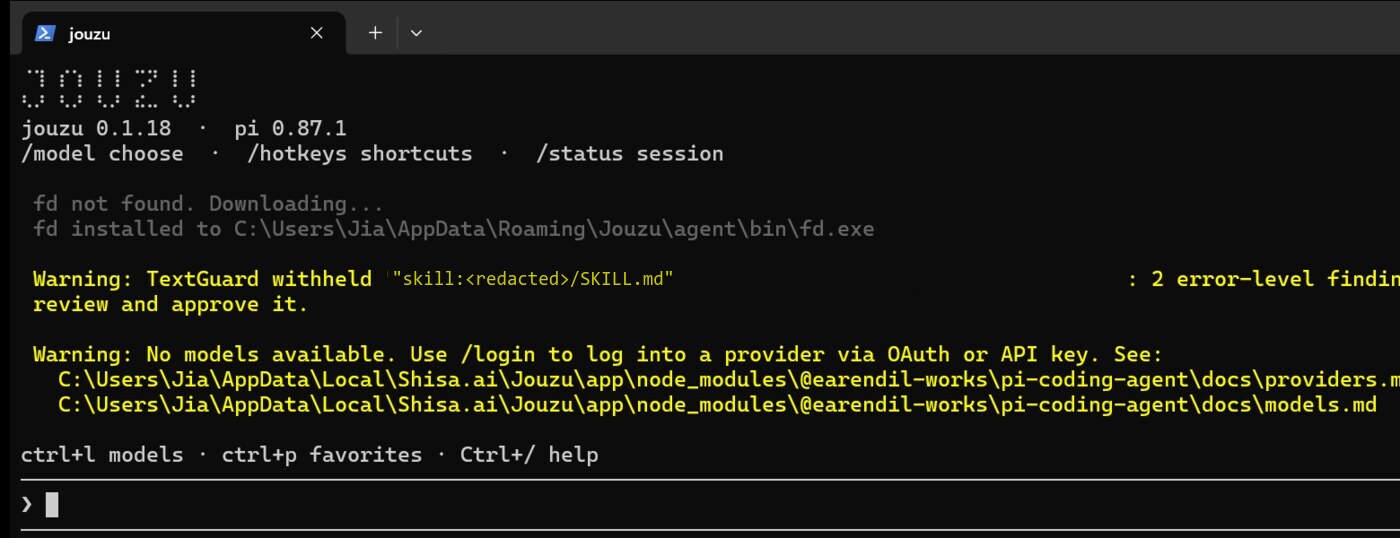
yara:command_injection. Path redacted. This is the data-safety claim demonstrating itself rather than being asserted.Two profiles ship: core (default) and ja. The ja profile adds Japanese responses while leaving code, commands and paths unchanged — a distinction that matters for a coding tool. Beyond the profile, Jouzu renders Japanese, Chinese, Korean and emoji at correct character widths, which most terminal agents get wrong.
jz profile apply --profile ja
jz profile apply --profile core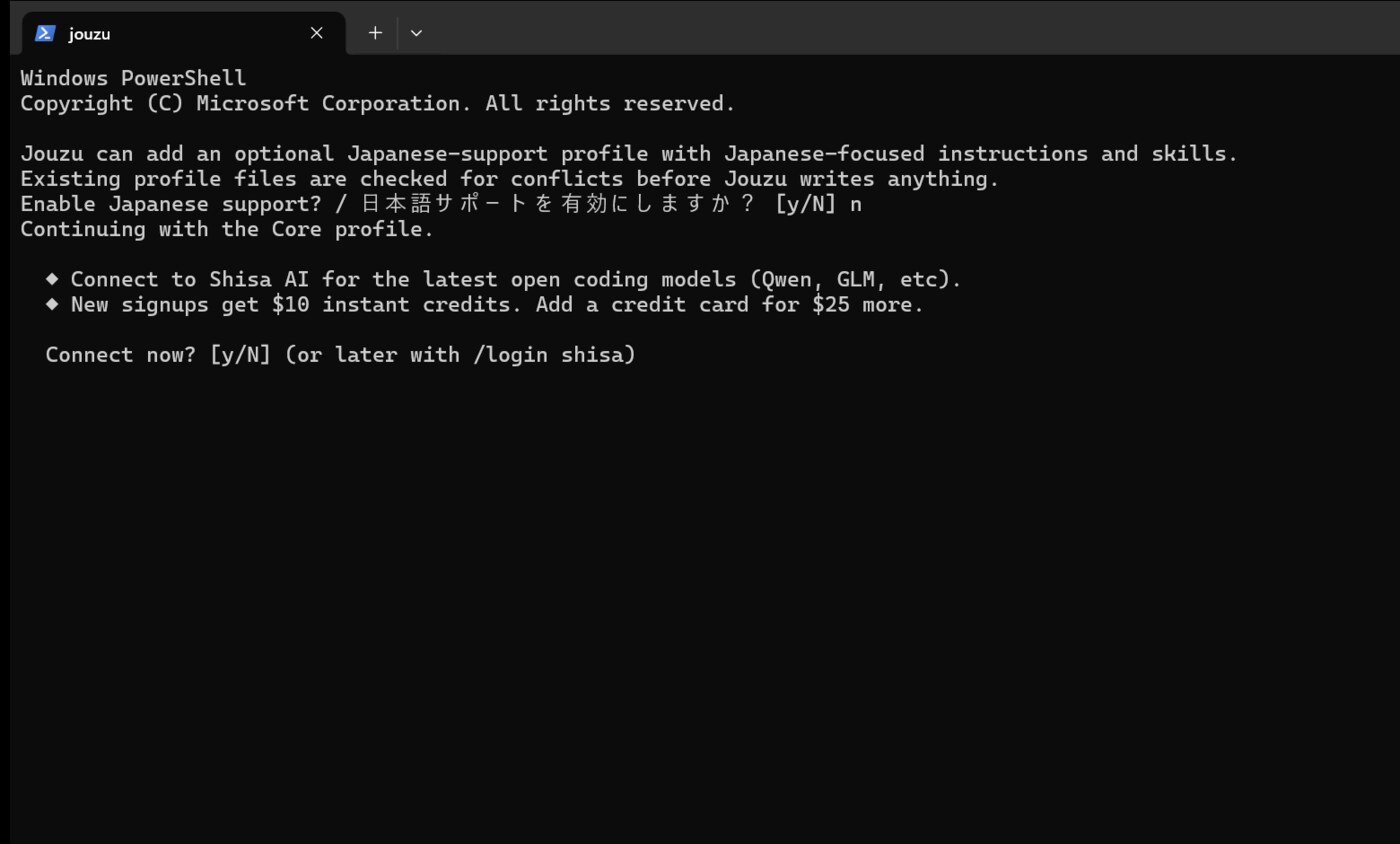
The status line carries the working context: provider and model with thinking level, the workspace and git branch with dirty-state flags, context consumed against the window, and tokens up and down.
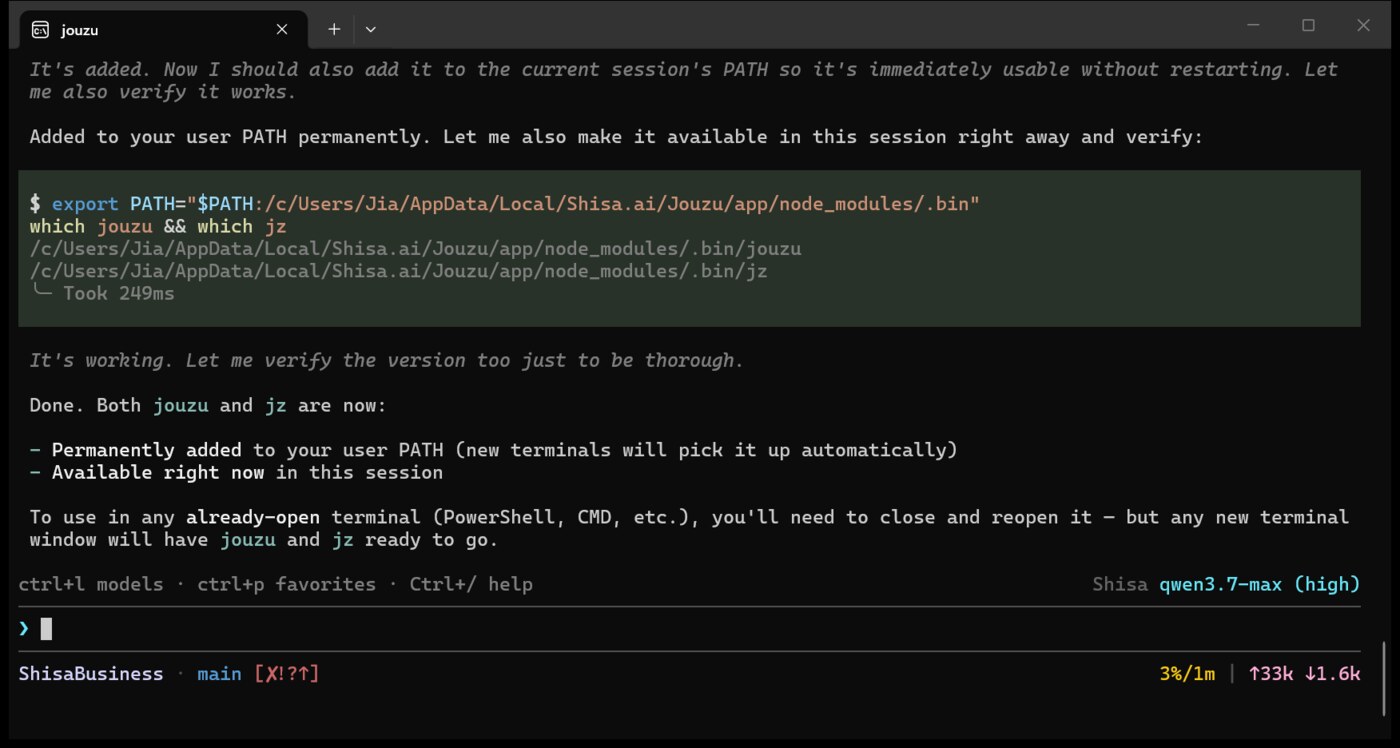
Shisa qwen3.7-max (high) · ShisaBusiness · main · 3%/1m context · ↑33k ↓1.6k tokens.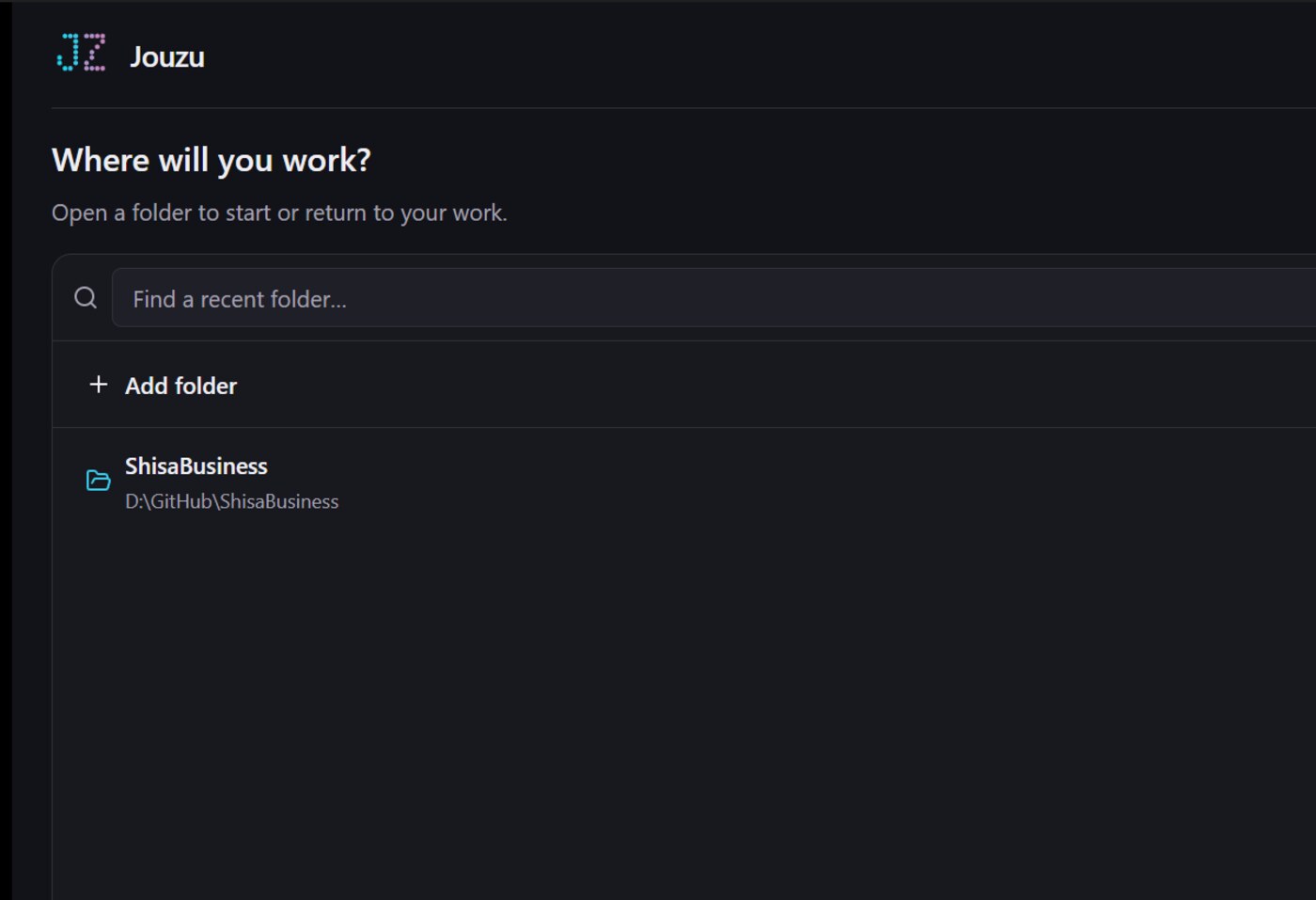
| Command / key | Action |
|---|---|
/login shisa | Connect a Shisa account (/login for other providers) |
/model · Ctrl+L | Choose a model |
Ctrl+P | Cycle favourite models |
Ctrl+F | Toggle the selected model's favourite status |
/workflow | Configure agents and inspect child runs |
/goal · /multiloop | Manage goals and measured-improvement loops |
/tasks | View, create and clear tracked tasks; toggle auto-mode |
/bg | Manage background jobs |
/flow | Show why automatic work stopped, and how to resume |
/voice · Ctrl+\ | Start or stop dictation |
/textguard | Review flagged content |
/status | Session, model and context usage |
/catalogs | Manage model catalogue sources |
/bug | Draft a bug report |
Ctrl+/ · /hotkeys | Help and shortcuts |
Ctrl+Enter | Queue editor text as a follow-up while the agent works |
Ctrl+Up | Restore queued messages to the editor |
| Tool | Purpose |
|---|---|
schedule_prompt | One-time and recurring prompts |
bg_task | Run and monitor shell processes without blocking |
web_fetch, batch_web_fetch | Fetch readable HTTP content |
tff-fetch_url, tff-search_web | Browser-rendered fetch and search |
TaskCreate et al. | Track finite work |
get_goal, update_goal | Work toward a goal set with /goal |
multiloop_* | Record approved measured-improvement loops |
subagent | Run child agents |
vcc_recall | Search earlier history, including compacted entries |
Everything above is drawn from two places, and it is worth keeping them apart.
Verified against a live install on 2026-10-06 (Windows x64, bundled Node 24.19.0): the version strings, the nine-model catalogue, the status line, the TextGuard withholding, the bilingual first run, the desktop launcher, and the jz doctor output.
From the repository at github.com/shisa-ai/jouzu (main, pushed 2026-10-03): the feature list, agent role schema, flow-control commands, tool list, profiles and keybindings.
agent_no_reply path observed, a multiloop run started and stopped, and /flow holding undelivered input. Jouzu built a 13-file documentation skeleton in the process.docs/subagents.md.